
Six Words Before They Decide: Subject Lines Superintendents Open
How companies that sell to schools can write subject lines that survive a superintendent’s two-second phone triage.
A superintendent sees about six words of your subject line before deciding whether you exist. The other nine words you spent an hour polishing are decoration. On the phone where most district leaders triage their mail — between a board meeting and a budget call — Gmail and Outlook show roughly 35 to 54 characters before the cutoff, and the decision to open, archive, or flag as spam happens in under two seconds.
That constraint changes everything about how vendor subject lines should be written, and almost nobody selling to schools writes for it. This article covers how superintendents actually process email, how to write for the 54-character preview, the words that trip both spam filters and the assistants who screen leadership inboxes, and five before-and-after rewrites you can pattern-match for your own campaigns this afternoon.
How Superintendents Actually Read Email
A superintendent of even a mid-sized district receives well over a hundred external emails a day, and vendors account for a large share of them. The reading happens in bursts: thirty seconds in the car line, two minutes between meetings, a longer pass at night. In every burst, the same two-step filter runs. First, the sender — recognized names get read, unknown names get judged entirely by the subject line. Second, the first handful of subject line words — is this about my district, or about your company? It’s a different game from emailing teachers — a contrast we broke down in Cold Emailing Teachers vs. Superintendents.
In larger districts there’s a third filter before either of those: an executive assistant with delete authority who screens the inbox each morning. Assistants are faster and stricter than their bosses. They’ve been told what matters — the strategic plan, the board, the budget, specific schools — and anything that pattern-matches to a mass blast doesn’t survive the first pass. A subject line that reads like it could only have been written for this one district is the single strongest signal that gets a message through both the assistant and the two-second triage — and the first step in From Gatekeeper to Champion turning that screener into an ally.
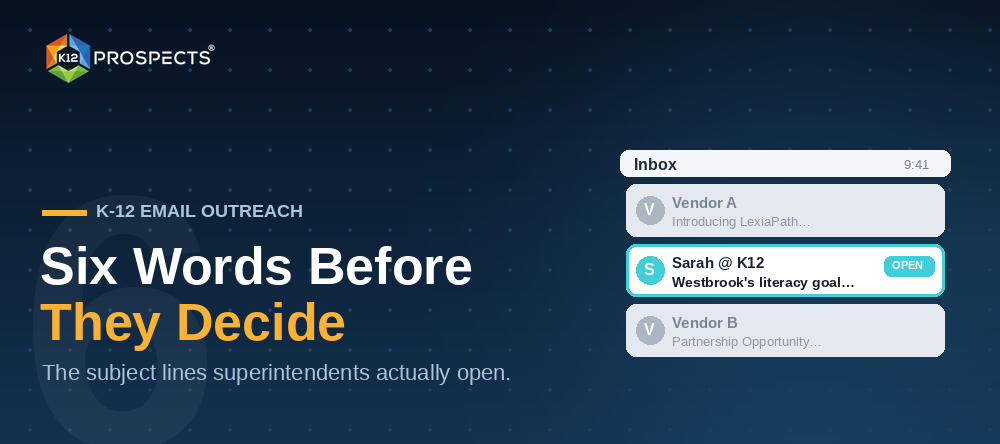
Example. Picture a superintendent in a 7,000-student Georgia district checking her phone after a principals’ meeting. Eleven new vendor emails. Ten subject lines lead with product names she’s never heard of. One reads “Westbrook’s new literacy goal — one idea.” That’s the one that gets opened, because it’s the only one that required knowing anything about her district.
Writing for the 54-Character Preview
Mobile mail clients show between 35 and 54 characters of subject line, depending on device and settings. Write as if only the first 35 will be seen, and you’ll never be cut off mid-thought. Three rules follow directly from the constraint.
- Front-load the district reference. The reader’s district name, school name, initiative, or role-specific problem belongs in the first three words. “Riverside’s assessment renewal” beats “A note about assessment renewals at Riverside” because the second version spends its visible characters on filler.
- Cut your product and company name. An unknown brand name is the lowest-value string you can put in the preview. The product gets its introduction inside the email, after the open has been earned — not in the six words that decide whether the email exists.
- Save the verb, drop the adjectives. “Transformative,” “innovative,” and “award-winning” are pattern-match signals for mass mail. Concrete nouns and plain verbs read like a colleague; marketing adjectives read like a campaign.
The preview constraint is also why pairing the subject line with a deliberate preheader matters: the preheader is the second sentence of your six-word pitch, and an unset preheader wastes the slot on “View this email in your browser.”
Words That Trigger Filters and Gatekeepers
Two screening systems stand between your subject line and a superintendent’s attention, and they fail differently. Spam filters score tokens: “free,” “limited time,” “act now,” all-caps words, percentage signs, and excessive punctuation raise the score, and district-side gateways are tuned more aggressively than consumer Gmail. Assistants screen for intent: “partnership opportunity,” “quick question,” “touching base,” and “following up” all read as vendor boilerplate because they appear in dozens of messages a week, and they get archived on sight regardless of what the email says.
What survives both is specificity. A board agenda item, a school name, a state policy deadline, a number that could only come from research — these are expensive signals, in the sense that they prove a human did homework. That’s also why subject line craft can’t be separated from list quality: you can only front-load a district reference if your data actually tells you the district, the role, and the person currently in the seat. A stale record turns your carefully personalized line into “Congratulations on your new role” sent to someone who left it a year ago — which is worse than generic. Accurate, role-segmented data, the kind a regularly updated K12 Prospects list gives you, is what makes personalized subject lines possible at campaign scale.
Before-and-After Rewrites
Five patterns from real vendor outreach, rewritten for the preview pane. Every “before” here is a line that died in triage; every “after” survives because it leads with the reader.
- Before: “Introducing LexiaPath: The Future of Adaptive Literacy Instruction” — After: “Westbrook’s 3rd-grade reading scores” — the product pitch moved inside the email; the preview now contains only what the reader cares about.
- Before: “Free Demo: See Our Award-Winning Assessment Platform in Action!” — After: “Assessment line item before July 1” — kills three filter tokens (free, award-winning, exclamation) and swaps them for a budget deadline the reader is living through.
- Before: “Partnership Opportunity for Your District” — After: “How Dayton cut MTSS paperwork 40%” — assistant-proof: a named peer district and a number replace the most archived phrase in K-12 sales.
- Before: “Quick question” — After: “Question about Jefferson USD’s strategic plan” — vague-bait gets opened once and burns trust; the specific version earns the open honestly and survives a second send.
- Before: “Following up on my previous email” — After: “The budget calendar I mentioned” — follow-ups should reference the value offered, not the act of following up.
Notice what every rewrite has in common: each one requires knowing something true about the recipient. The pattern is not a template — it’s a research habit made visible in six words.
Changing Subject Lines Across a Sequence
A five-touch sequence — the structure we mapped in The 5-Email Sequence — should never repeat its subject line logic. The first touch leads with the district-specific hook. The second leads with the asset you’re offering — “The budget calendar I mentioned.” The third can lead with a peer district result. The fourth goes shorter and more direct — three or four words. The fifth names the ending: “Closing the loop on Westbrook.” Sequences that vary their angle this way keep earning opens from readers who ignored earlier touches for reasons that had nothing to do with you — and they look, in an inbox scanned top to bottom, like a person writing rather than an automation firing.
Subject lines are the cheapest thing to fix in a K-12 campaign and the most expensive thing to ignore. Six words, chosen for the reader instead of the product, decide whether everything else you wrote ever gets seen. Write for the preview, lead with the district, keep your data fresh enough to personalize safely — and the superintendent’s two-second triage starts breaking your way.