
The Seed Test: Checking Inbox Placement Before Your Next District Campaign
An assessment vendor sent 8,000 emails to district curriculum directors on a Monday morning and watched a 41% open rate climb across the dashboard by lunch. What the dashboard did not show was that roughly a third of the Gmail copies had gone straight to the spam folder — counted as delivered, but never seen. The distance between what a sending platform reports and where an email actually lands is where most K-12 campaigns quietly lose their return, and it stays invisible right up until the replies fail to arrive. A seed test closes that distance before the send instead of explaining it afterward.
What a Seed Test Actually Does
A seed test is a rehearsal. Before your real list ever sees the campaign, you send the finished email to a small panel of inboxes you own and monitor across the major providers — Gmail, Outlook and Microsoft 365, Yahoo, and where possible a district-style hosted domain. Each of those seed inboxes reports one simple fact back to you: did the message land in the inbox, in a promotions or focused tab, or in spam. Stack the results together and you get a placement map for the exact email you are about to put in front of thousands of school contacts.
Placement is the number that decides whether all the other work ever gets a chance to matter. A brilliant subject line, a sharp offer, and a clean list mean nothing if the message is sitting in a spam folder, where the functional open rate is zero no matter how good the copy is. The seed test measures the one thing every other tactic depends on.
Why Placement Got Harder in 2026
Two changes moved the seed test from a nice-to-have to standard practice. Since November 2025, Gmail rejects non-compliant bulk mail outright with a permanent error rather than quietly filtering it, so a bad send now damages your sender reputation the moment it goes out. And Gmail judges bulk senders against a hard spam-complaint line of 0.10%, recommending you stay under 0.08% for a buffer; cross 0.30% and your domain loses eligibility for Gmail’s delivery help until it stays clean for seven straight days.
In that environment, discovering a placement problem after 8,000 sends is expensive and slow to undo. Discovering the same problem from a twelve-inbox test costs nothing and takes fifteen minutes. The math favors the rehearsal every time.
Building Your Seed Panel
A useful panel does not need to be large — it needs to be representative. A workable starting panel for a K-12 sender looks like this:
- Three to four Gmail addresses, since a large share of districts run Google Workspace.
- Three to four Microsoft addresses — an Outlook.com account plus a Microsoft 365 mailbox — since much of the rest of K-12 lives there and its filters behave nothing like Gmail’s.
- One or two Yahoo or AOL addresses to catch consumer-domain issues.
- Where you can get one, an address on an actual district-style hosted domain, which is the closest thing to a live test.
You can assemble a panel from free accounts you create yourself, or use a seed-list service that hands you a set of monitored inboxes and an automated placement report. Either approach works, as long as the inboxes span the providers your districts actually use — a panel that is all Gmail will tell you nothing about the Microsoft-hosted half of your list.
Ten to fifteen seeds is plenty. What matters far more than the count is that the seeds receive the campaign exactly as your real recipients will — same from-name, same sending domain, same links, same images, same plain-text version. Any difference between the test send and the real send changes the result and makes the rehearsal worthless.
Reading the Report: A Worked Example
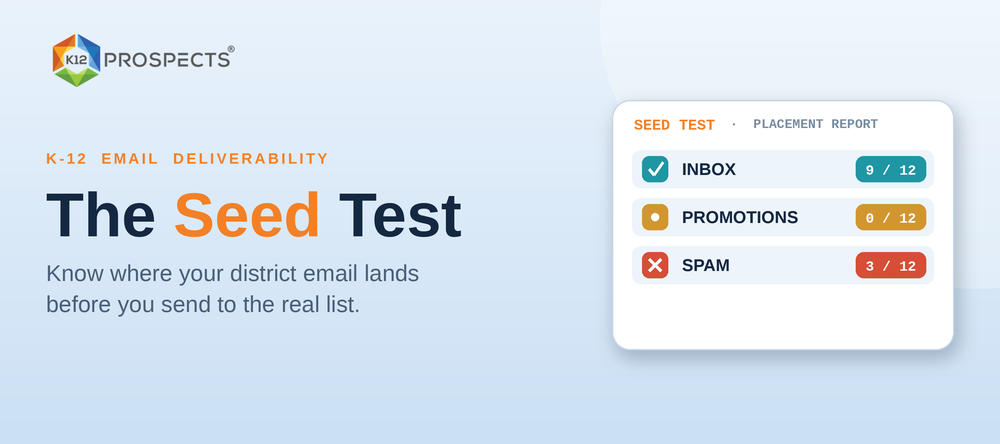
Take the assessment vendor from the top. Before the real send, they run the finished email through a twelve-seed panel — five Gmail, five Microsoft, two Yahoo — and the placement report comes back like this:
- Gmail: 2 of 5 inbox, 3 of 5 spam
- Microsoft: 5 of 5 inbox
- Yahoo: 2 of 2 inbox
Nine of twelve landing looks acceptable at a glance, but the pattern is the whole story. Every failure sits on Gmail, while Microsoft and Yahoo are clean. That points away from content — spammy words or a bad structure would drag every provider down together — and toward authentication, because Gmail is the strictest provider on it. A quick look at the message headers shows the DKIM signature is not aligned with the sending domain. The vendor corrects the DKIM record, re-runs the panel, gets 5 of 5 Gmail inbox, and only then sends to the 8,000.
The math is worth sitting with. At the original placement, about 60% of Gmail copies were hitting spam. If half of the 8,000-contact list is on Gmail — 4,000 contacts — that is roughly 2,400 emails filtered out of sight. At a modest 3% reply rate on delivered mail, those 2,400 lost inboxes represent about 72 replies the vendor would never have seen, on top of the reputation hit from thousands of messages landing in spam. A fifteen-minute test protected all of it.
What a Failed Test Is Telling You
Placement failures cluster into four causes, and the pattern across providers usually points to which one you are looking at:
- Authentication. Failures concentrated on Gmail, or a sudden drop across the board, most often trace to SPF, DKIM, or DMARC problems. This is the first thing to check.
- From-name and domain. A brand-new sending domain, or a from-name that does not match the domain, reads as unfamiliar to the filters and gets held back.
- Content. When all providers dip together, look at the copy — heavy images with little text, trigger words, a bare link-only body, or a missing plain-text part.
- List and reputation. If authentication and content are both clean and placement is still poor, the problem is upstream: a domain reputation already dinged by earlier sends to stale or unverified addresses.
Beyond Inbox vs. Spam: Tabs, Clipping, and Images Off
A placement report has more than two outcomes, and the middle ones matter for K-12. Gmail sorts a lot of vendor mail into the Promotions tab, which is not spam but is a quieter room a busy administrator may never open during a school week. If your seed test shows district-style Gmail seeds landing in Promotions, the fix is usually fewer promotional signals — trim heavy images, cut the extra links, drop the marketing-footer language — so the message reads as a one-to-one note rather than a broadcast.
The panel also surfaces two rendering problems a delivery dashboard never will. Gmail clips any message over roughly 102KB, hiding your call to action behind a “View entire message” link that most readers ignore, and a seed inbox shows you that clip under real conditions. Most district and corporate inboxes also load with images off by default, so an email that is mostly one large graphic can arrive as a blank rectangle. Reading the seed copies the way a recipient’s inbox actually renders them — right tab, not clipped, legible with images off — is the difference between a technically delivered email and a usable one.
When to Run One
You do not need a seed test before every routine email, but three moments call for one every single time: a new sending domain or IP, a new template or major design change, and any large cold send to a fresh segment. Each of those changes the variables the filters are weighing, and each is a moment where a hidden placement problem does the most damage.
The stakes climb when the send is not a one-off. If that email is the first email in a 5-email sequence, a placement failure does not cost you one message — it quietly poisons every follow-up in the cadence, because the contact who never saw email one is unlikely to see emails two through five either. Testing at exactly those three moments catches nearly every placement problem before it reaches a real district inbox.
A Clean Test Starts With a Clean List
A seed test tells you whether your email can reach an inbox. It cannot fix what happens when that email reaches thousands of addresses that no longer exist. Placement and list quality are the same problem viewed from two ends: a stale list drives the bounces and spam-trap hits that wreck the very reputation your seed test just verified. Cleaning and updating your list is not a separate chore from deliverability — it is deliverability.
This is where the contact data underneath the campaign matters more than any single tactic. K12 Prospects maintains verified, role-segmented K-12 contacts — current curriculum directors, technology directors, and business managers at real districts — so the list you send to after a passing seed test is as clean as the test said your email was. The rehearsal and the roster have to match, or the rehearsal was for nothing.
Run the panel. Read the pattern. Fix the cause. Then send to a list you can trust, and let the reply rate finally reflect the work you put into the copy.